Starter
For a small rental: one or two owners and a couple of staff.
$15per month
- Up to 10 items
- 1 location and cash desk
- Up to 2 staff
- Calendar, rentals, contracts
- Expenses and basic analytics
Instead of spreadsheets and notebooks: see what is free, who returns what and when, and how much you earned.
Built for: motorbikes and scooters cars apartments and villas any rental property
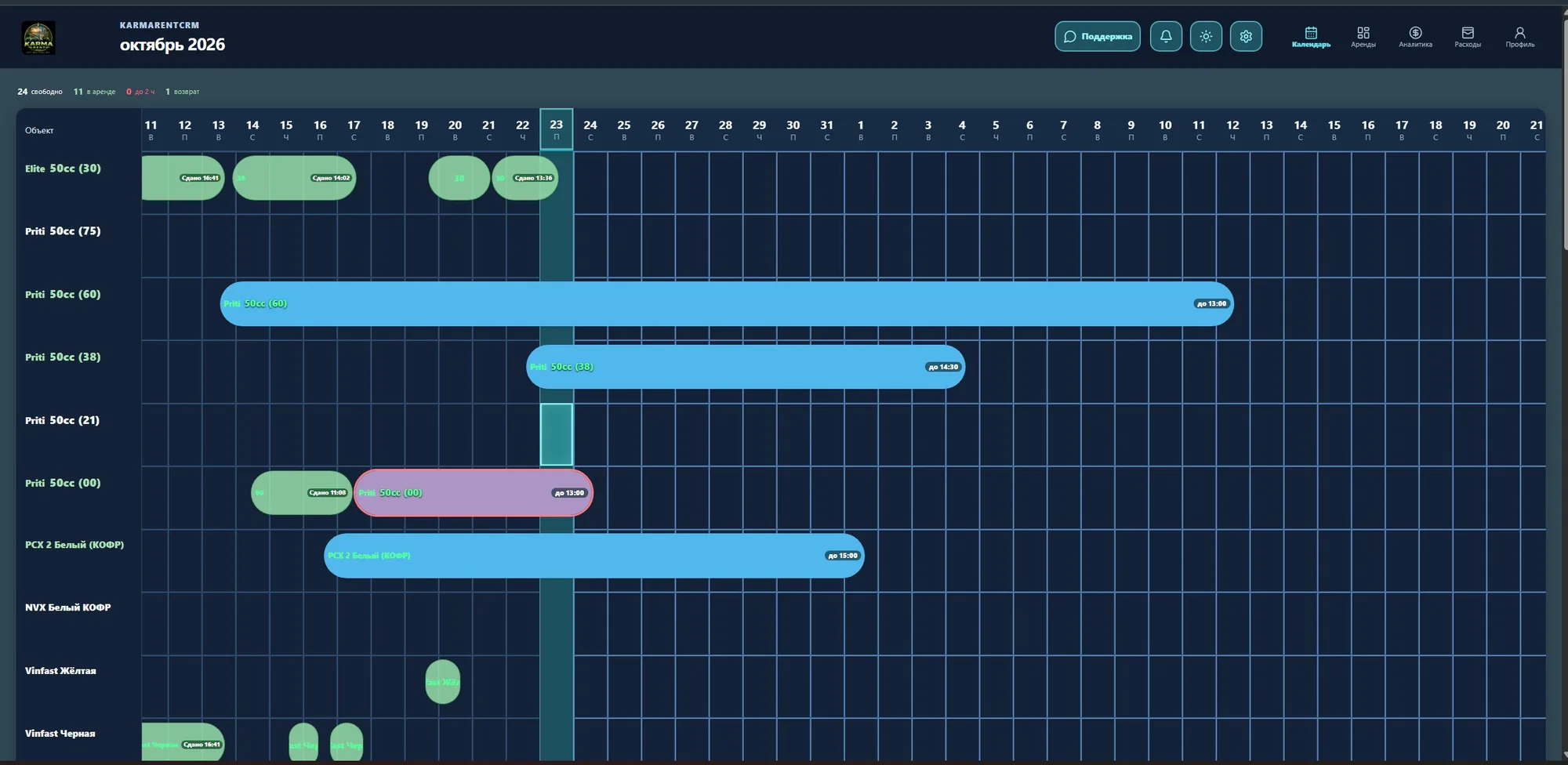
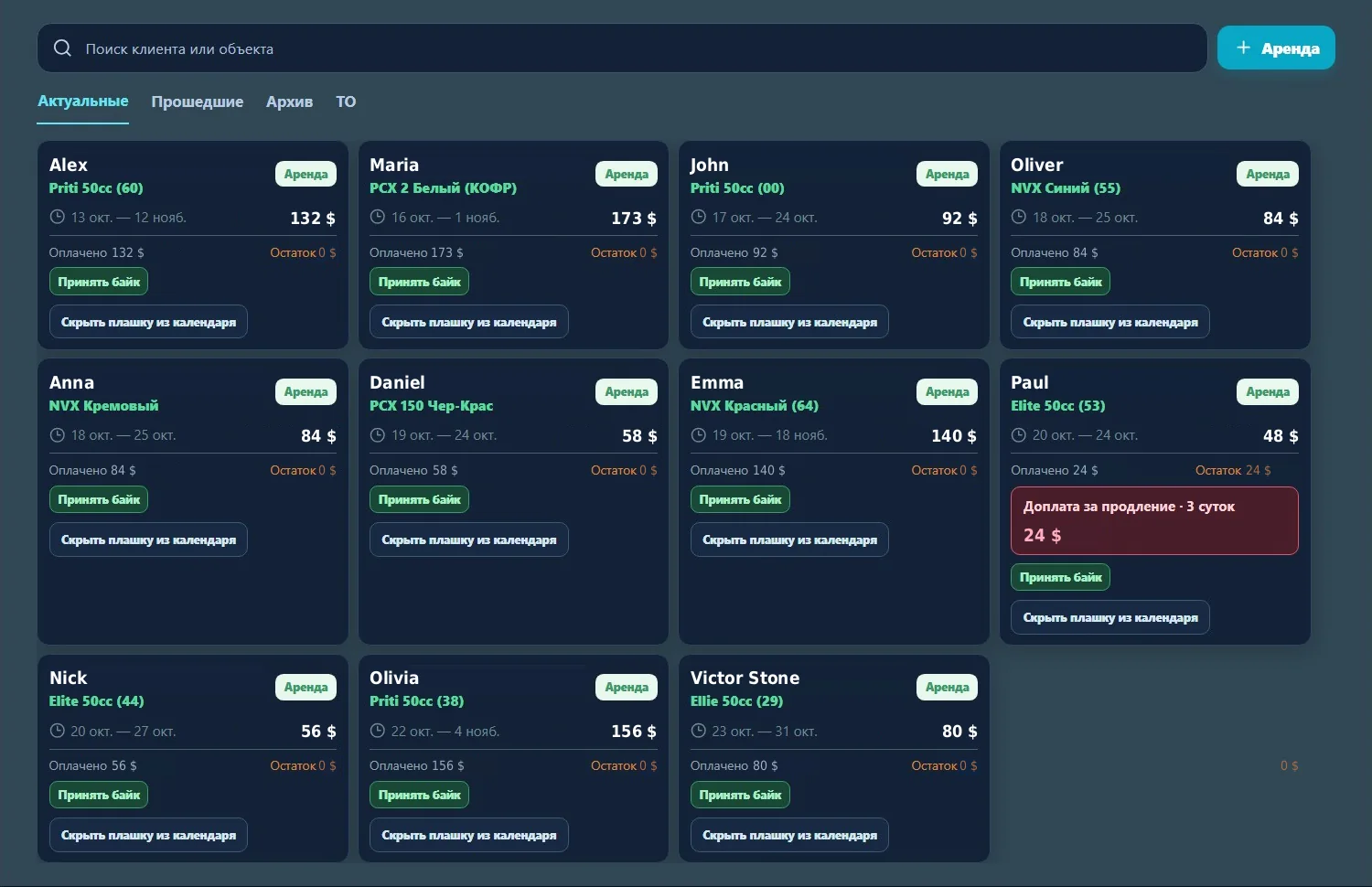
See what is free, what is rented and how much you earned, without keeping spreadsheets by hand.
Each item has its own row and each rental is a bar across the dates. Free days and overlaps are visible at once.
One card per rental: who, what, which dates, how much is paid and how much is left.
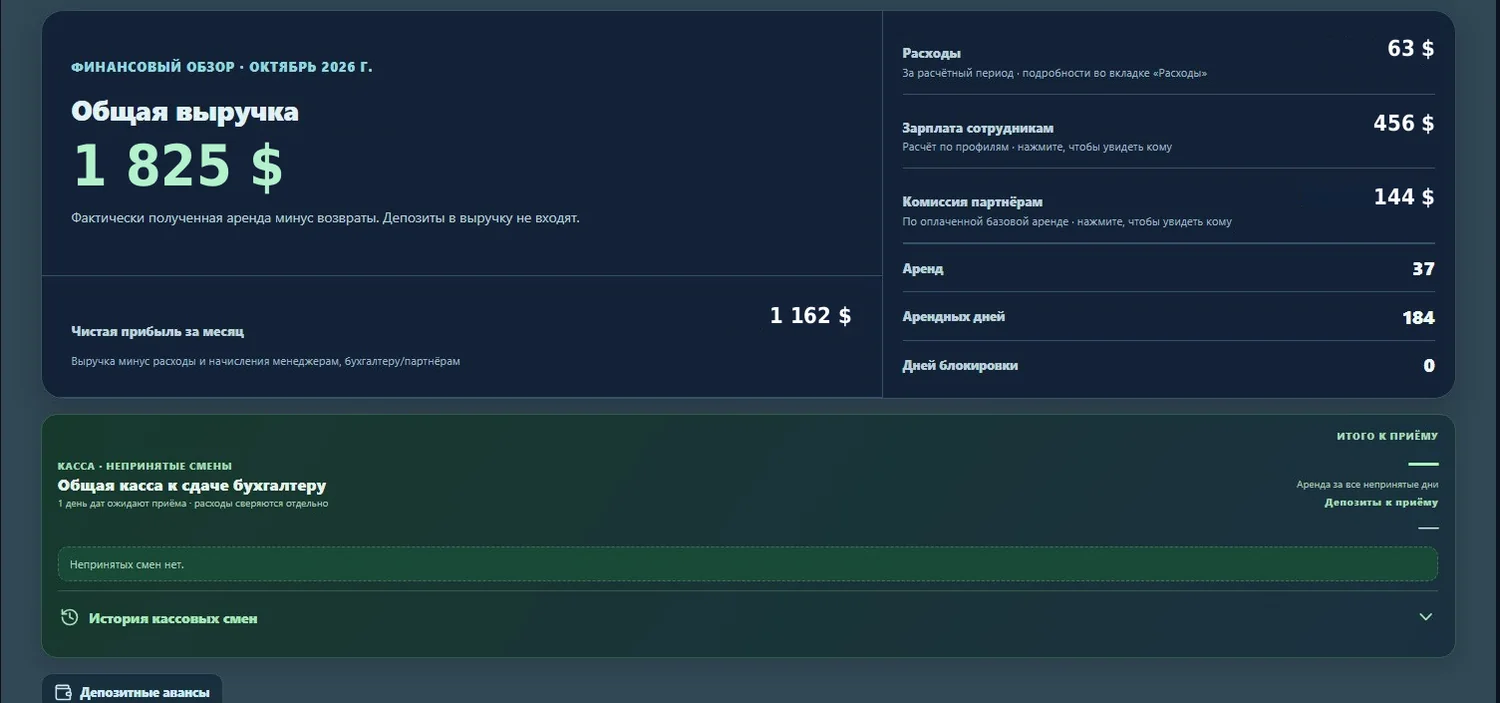
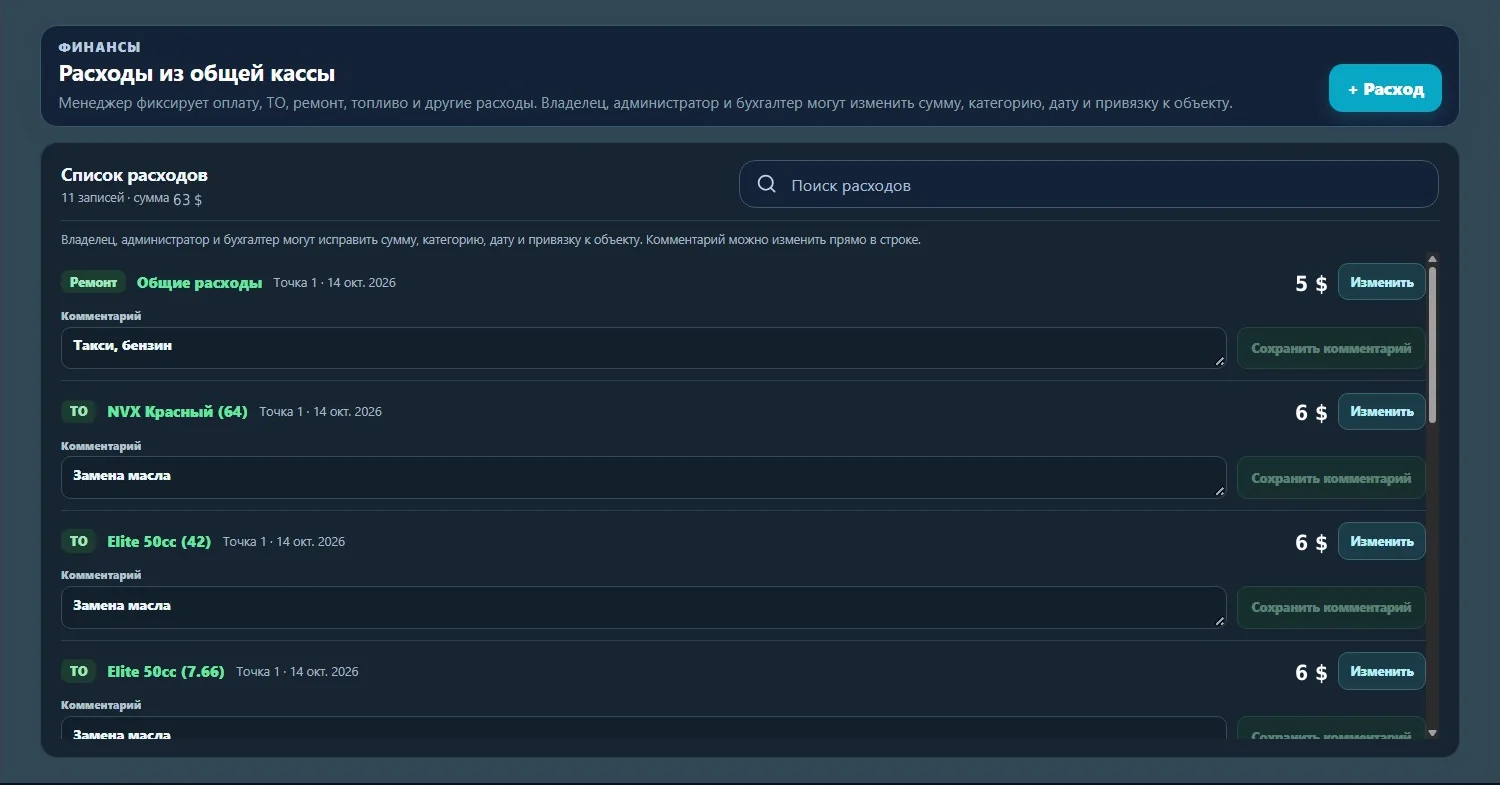
Revenue, expenses, salaries and partner commissions in one financial overview. Monthly net profit is calculated for you.
The top of the calendar always shows how many items are free, rented, due back very soon and returning today. A bell in the header holds your notifications.
Example counters from a working calendar.
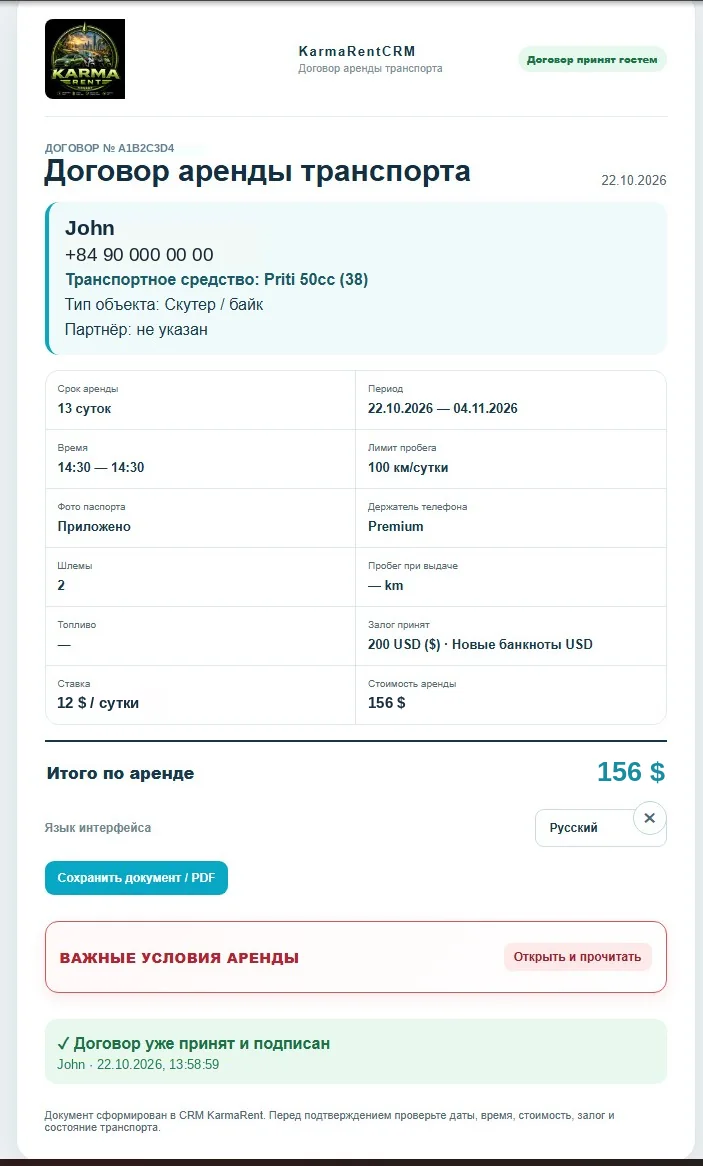
Open RideFlow in your phone browser: calendar, rentals and contracts are always at hand. The guest accepts the contract on their own phone too.
Staff see only what they need: the manager sees rentals, the accountant sees finance.
A rate for each partner, commission calculated on paid rentals, and a report sent to the partner in one click.
Several locations, each with its own cash desk, shifts and deposits. What to hand to the accountant is clear at once.
A separate section helps connect an AI agent to your data.
Choose a plan by fleet size. Prices in US dollars per month.
For a small rental: one or two owners and a couple of staff.
$15per month
For a growing rental with several staff and partners.
$30per month
For a large fleet: many items, locations and partners.
$50per month
Rentals of motorbikes and scooters, cars, apartments and villas, and any other property rented by dates. Every item gets its own row in the calendar, and rentals, payments and expenses are linked to it.
No. RideFlow runs in the browser on a computer or phone: open the site and log in to your account.
The system creates a rental contract with dates, rate, deposit and terms. The guest opens it on their phone, picks the interface language and accepts the terms. The finished document can be saved as PDF.
Yes. In the profile you set up the team with roles and permissions, branches and cash desks. Analytics shows operations for each location and cash shifts.
Each partner gets a rate. The system calculates commission on paid rentals and builds a report you can send to the partner straight from the CRM.
Request a demo or message us on Telegram. We will show the system on your own business and help you move your items in.
Leave a demo request or message us on Telegram. We reply within a business day.